2D Rocket League
2D Rocket League
Click to start playing!
About This Game
Last updated:
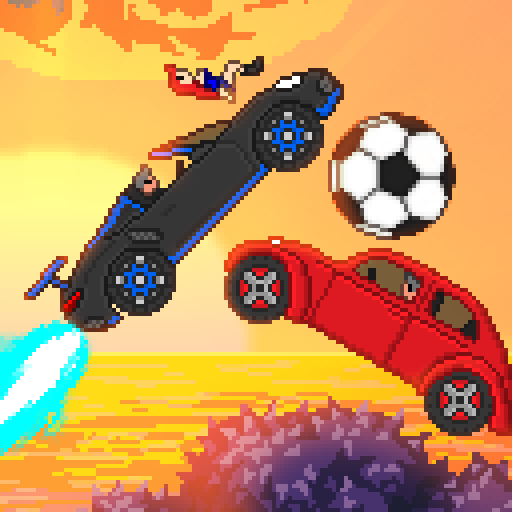
Drive rocket-powered cars and score goals in this 2D take on vehicular soccer. Jump, boost, and compete in 1v1 or 3v3 matches with local multiplayer.
Attribution & hosting notice
- Developer:
- Not listed in our data
- Publisher:
- Not listed in our data
- Source:
- /embed/2drocketleague/index.html
Pizza Edition hosts a free HTML5 browser build for convenience. We are not the official developer or publisher of this game. Rights remain with the original owners. Copyright / DMCA
Tags
Game Overview
2D Rocket League (Rocket League 2D by Stephen Kempisty) flattens car-soccer into a top-down canvas match. Two cars — orange and blue — shove a ball toward opposite goals inside a rectangular arena. Matches run on a countdown clock (five minutes in the documented v0.9 flow). There is no 3D flight model here: throttle, brake, and steering are the whole movement kit.
The Pizza Edition embed ships that HTML5/jQuery build with on-screen control labels for each side. It is ideal for couch 1v1 on one keyboard. Features listed as “coming soon” in the project README (boost pads, curved corners, online rankings) should not be treated as present unless you see them in the running game.
Use this page when you want rocket-league flavor without WebGL car aerials — reading angles in 2D is a different, still-skillful sport. Because the simulation is planar, “fake aerials” are really just high-angle rams after you wind up from the far wall. The meta is closer to air-hockey than to 3D Rocket League freestyle. That is refreshing: newcomers are not crushed by air-roll jargon on minute one.
Keep the README’s honesty nearby — unfinished roadmap items are not secretly enabled. If you want boost management drills, use the 3D rocketleague page on this site instead.
Scoring chances often come from forcing awkward car angles near the wall rather than from midfield fireworks. Herd the opponent toward the boards, then cut back through the ball’s center line for a cleaner push than a head-on drag race.
How to Play
Player 1 (orange) uses W to accelerate, S to brake/reverse, A to turn left, and D to turn right. Player 2 (blue) uses the arrow keys the same way: Up accelerate, Down brake/reverse, Left/Right to steer. These bindings are defined in the embed’s main.js and README — there is no jump or boost key in this version.
Press the on-screen start control after load to begin the timer. Hit the ball with your car’s body to redirect it; approach from behind for drives, and cut across the ball’s path for blocks. Because cars only rotate and thrust in the plane, recovery is about wide turns rather than dodges.
Own-goal awareness matters: over-sliding through your box with speed can drag the ball in. After a goal, reset mentally for kickoff positioning even if the build’s restart is automatic. After the match starts, glance at the timer HUD so you know whether you are playing to a clock. Scoreboard pressure changes risk: trailing teams should take fifty-fifty turns; leading teams should cut passing lanes and force the opponent to beat them with clean shots.
Tips & Strategies
- 1Feather throttle near the ball; full W/Up from across the map often overshoots the touch.
- 2Defend by matching the ball’s horizontal lane early instead of chasing from behind your own net.
- 3Use reverse (S / Down) to face the play faster than looping a huge forward arc.
- 4When leading late, cut off the opponent’s acceleration lane rather than camping inside the goal mouth.
- 5Practice bank shots off the side walls — flat arenas reward angled approaches.
- 6For local play, agree who is orange before start so hands do not fight for the same keys.
- 7Ignore aerial advice from 3D Rocket League guides; jumping is not part of this embed.
- 8Catch the ball on your nose, then micro-adjust with A/D (or Left/Right) rather than re-accelerating from zero each touch.
- 9If you spawn facing the wrong way, reverse-turn immediately; prideful long loops gift open nets.
Frequently Asked Questions
Q:How do I jump or fly?
A:You do not, in this build. Movement is top-down throttle and steering only — no Space boost/jump.
Q:Is boost available?
A:The v0.9 project notes boost pads as future work. Unless pads appear in your session, play without boost.
Q:Can I play online?
A:This embed is local keyboard 1v1, not an official online service.
Q:How long is a match?
A:The documented flow starts a 5:00 timer; confirm on the HUD when you press start.
Q:Who made it?
A:Stephen Kempisty’s Rocket League 2D (see the embed README). It is a fan HTML5 tribute, not Psyonix’s 3D game.
Q:Controllers?
A:The shipped script listens for keyboard keyCodes for WASD and arrows. Stick to those unless you add your own remapper.
Q:Why is there no turbo?
A:This HTML build’s control script only maps throttle, brake, and steer. Turbo/boost is not implemented in the key bindings.
Q:Can I rematch quickly?
A:Use the embed’s on-screen restart/start controls after the timer ends.