Rocket League
Rocket League
Click to start playing!
About This Game
Last updated:
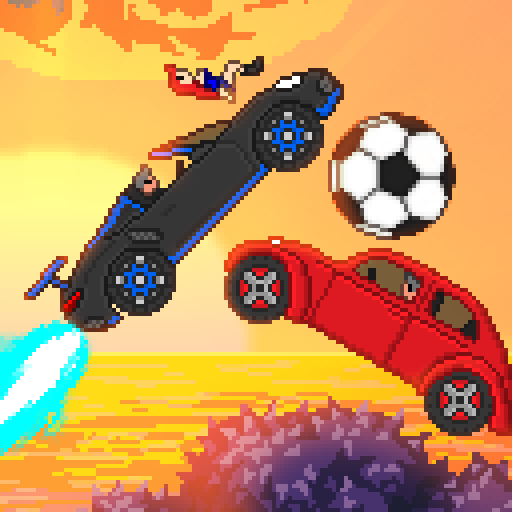
Score goals with rocket-powered cars in this free vehicular soccer game. Boost, flip, and fly through 3D arenas in 1v1 or team matches.
Attribution & hosting notice
- Developer:
- Psyonix
- Publisher:
- Psyonix
- Source:
- /embed/rocketleague/index.html
Pizza Edition hosts a free HTML5 browser build for convenience. We are not the official developer or publisher of this game. Rights remain with the original owners. Copyright / DMCA
Tags
Game Overview
Rocket League mashups put rocket-boosted cars in a soccer arena: drive, jump, and strike a giant ball into the other net. The Pizza Edition page embeds a browser Unity build under /embed/rocketleague — a compact “rocket soccer” experience rather than the full Psyonix client with ranked playlists and rocket pass cosmetics.
Expect a 3D field, boost pads, and car-to-ball physics that reward aerial touches once you leave the ground. Modes in browser ports are often short matches or local/AI-oriented sessions; exact playlist names vary by package. Treat this page as practice for the car-soccer fantasy: reading bounces, managing boost, and rotating instead of ball-chasing.
We do not invent console-only features here. If a menu in the embed differs from what you remember on Steam or consoles, trust the on-screen options. Browser soccer-car games shine as warm-ups: ten minutes of kickoffs and saves without launching a heavy client. They are weaker as substitutes for ranked grind — expect fewer modes and less polish. Still, the spatial lessons (rotate, do not triple-commit, boost is tempo) are legitimate practice.
Pizza Edition leaves URLs and the embed path unchanged; this write-up only deepens the visible guide beneath the player. Cosmetics and crate economies from the retail game are out of scope unless the embed literally shows them.
How to Play
Drive with WASD or the arrow keys in typical browser ports. Space is commonly used to jump (and double-jump / dodge when tapped again in the air). A boost key — often Shift or a controller trigger equivalent — dumps speed and helps you leave the ground for aerial hits. Drive into the ball to redirect it; higher contact (hood / nose while jumping) sends lofted shots.
Collect boost from pads along the walls and in corner/midfield spots if your build includes them. Without boost you can still ground-dribble and bump, but clears and kickoff races suffer. In team-sized modes, leave at least one car near your net when two mates push — empty nets lose games faster than missed shots.
If your keyboard mapping differs, open any in-game controls screen the embed exposes before ranked-style habits kick in. Mouse look is uncommon in these ports; steering is usually tank-style from the keyboard. Kickoff habit: move first, touch second. A late boostless poke that at least challenges beats a theatrical flip miss. When the ball roofs, wait under the bounce cone instead of jumping early and watching it sail behind you. If the match allows demo/bumps, use them to free the ball, not to farm chaos in your own half.
Training instinct without a dedicated free-play mode: use quiet midfield bounces to practice a single front-flip touch. Small intentional drills inside casual matches beat aimless ball-chasing.
Tips & Strategies
- 1Arrive where the ball will bounce, not where it is now — chase lines waste boost.
- 2Spend boost on saves, kickoffs, and clearances; idle cruising on empty tanks loses 50/50s.
- 3After you shoot, rotate back post instead of camping the far corner for a second touch.
- 4Practice half-flips / quick turns in free play if the build allows — recovery speed matters more than fancy freestyles.
- 5On defense, shadow the ball’s shadow on the ground to judge aerials before you jump.
- 6Kickoff: tip the ball softly if you are second man; all-in demolitions leave your net naked.
- 7Wall rides set up backboard passes — drive up, jump off, and swipe downward through the ball.
- 8Save enough boost to challenge the next aerial even after a failed shot.
- 9Camera: if the port offers ball-cam, learn it; fixed-cam guessing fails in midfield messes.
Frequently Asked Questions
Q:Is this the full Rocket League client?
A:No. It is a browser Unity soccer-car build for quick sessions. Expect a smaller feature set than the official PC/console game.
Q:What are the default keys?
A:Most HTML ports use WASD/arrows to drive, Space to jump, and Shift (or a labeled boost key) to boost. Confirm inside the embed if a control menu exists.
Q:Can I play online ranked here?
A:Do not assume official Psyonix matchmaking. Use whatever local, AI, or session modes the embed actually lists.
Q:How do I hit aerials?
A:Jump, tilt with drive keys, and boost into the ball while airborne. Start with front-flip double jumps before longer flights.
Q:Why does the ball feel heavy?
A:Browser physics packages differ. Adjust by contacting the ball’s center for pushes and the lower half for pops.
Q:Controllers?
A:If your browser and Unity loader expose gamepad input, you can try one; keyboard remains the baseline we document.
Q:Why can I not fly like YouTube freestylers?
A:Those clips use the full 3D game plus hours of air roll practice. Here, focus on simple double-jump touches first.
Q:Split-screen?
A:Only if the embed menu offers it. Do not assume console-style couch co-op is packaged.