Geometry Dash
Geometry Dash
Click to start playing!
About This Game
Last updated:
Jump, fly, and flip through spike-filled levels synced to electronic music in this rhythm platformer. One-tap controls, brutal difficulty.
Attribution & hosting notice
- Developer:
- Robert Topala
- Publisher:
- Robert Topala
- Source:
- /embed/geometrydash/index.html
Pizza Edition hosts a free HTML5 browser build for convenience. We are not the official developer or publisher of this game. Rights remain with the original owners. Copyright / DMCA
Tags
Game Overview
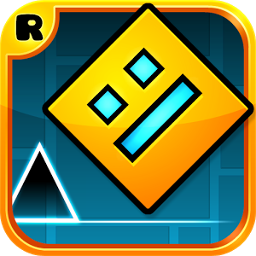
Geometry Dash by Robert Topala is a rhythm platformer where a square (and later ships, balls, UFOs, waves, depending on the level) auto-runs through spike gauntlets synced to electronic tracks. You only time jumps or hold inputs for flight modes. One touch on a spike restarts the attempt, which is the entire fantasy: memorize, fail, tighten the timing.
The Pizza Edition embed presents a browser-friendly package. Level lists, practice checkpoints, and icon kits may be thinner than the Steam/mobile releases. Still, the skill transfer is real — calm rhythm reading and short practice loops beat rage mashing.
Sound matters. Playing muted is possible, but the charts are built against the music, so headphones help you hear when a jump cluster lands on a snare. Progress in Geometry Dash is muscle memory plus emotional control. The game will fail you dozens of times on the same spike; that is not a broken build. Players who improve treat each death as a timestamp (“clicked early on the third orb”) instead of a personality judgment.
Browser input latency can be a few frames higher than native clients. Compensate with earlier clicks only after you confirm delay with a simple jump pad — do not invent latency as an excuse on a pattern you have not memorized.
Community difficulty slang can wait. For this page, success is simply: hear the song, click with it, survive one section further than yesterday. That metric fits browser sessions between classes or chores.
How to Play
Click, tap, or press Space to jump (or to flap/steer in ship-style portals). Your icon moves right on its own; you never walk left. Yellow jump pads and rings force or assist launches — learn which orbs need a click and which pads are automatic.
Portals recolor and rewrite your physics: ship modes need hold-to-rise input, ball modes flip gravity on click, and other forms follow the cues painted on the stage. If practice mode exists in your build, drop checkpoints before dense spike dens so you can rehearse a five-second slice.
Fail fast and retry. Holding a grudge against a single spike usually means your click was early; delay a frame on the next run instead of mashing harder. Orb colors matter: yellow jump orbs need a click while you touch them; pink/other orbs may differ by version. Pads under your feet fire automatically. If a portal flips gravity, relearn which screen edge is “floor” before the next spike. Ship mode is hold-based — imagine balancing a balloon, not mashing a jump button.
Tips & Strategies
- 1Hum the section — if your click does not land on the beat you are humming, you are guessing.
- 2Watch the icon’s trail, not the spikes under the camera’s far edge, once you know a layout.
- 3In ship corridors, micro-tap instead of holding through the whole tunnel.
- 4Blue gravity pads change which way “down” is; reorient before the next jump orb.
- 5Use practice mode to isolate a choke point, then run from 0% to prove the memory stuck.
- 6Lower input latency by closing heavy tabs; GD is frame-sensitive in browsers.
- 7Stop after a tilt streak — ten tilted retries teach bad timing.
- 8Record a failing attempt (OS tools) and replay at half speed if a section refuses to click mentally.
- 9Warm up on an easier chart for thirty seconds before a hard practice grind.
Frequently Asked Questions
Q:Why is there no checkpoint in normal mode?
A:Classic Geometry Dash expects full clears. Practice mode (if included) is where you place temporary checkpoints.
Q:Keyboard or mouse?
A:Either Space or click/tap works in typical ports — use what you can time most consistently.
Q:Do I need the music?
A:Strongly recommended. Charts align to the audio; mute makes certain spam sections guesswork.
Q:Can I use the editor here?
A:Official editors are a full-client feature. Do not expect a complete create suite inside every HTML embed.
Q:Are demons included?
A:Depends on the package. Play the level select you see; names and difficulties may differ from the main game.
Q:Tips for input delay?
A:Fullscreen the game, prefer a wired keyboard/mouse, and avoid remote-desktop browsers when practicing hard charts.
Q:Does hiding the progress bar help?
A:Some players prefer less HUD noise. Cosmetics do not change hitboxes.
Q:Are secret coins required?
A:Only if you chase 100% style completion. Route coins after you can already clear the level.